Self Query Retriever
In short: A self-query retriever uses an LLM to split a natural-language question into a search phrase plus structured metadata filters, then runs both.
On this page
Level: Intermediate · Reading time: 7 min · Phase: 2 — Advanced RAG
Before you start: Metadata and Metadata Filtering. Self-query is metadata filtering where an LLM writes the filter for you.
Explain it like I'm new
You tell a shop assistant, "I want running shoes under $100 in size 42." A good assistant does not search the whole store for the words "under $100". They walk to running shoes, then filter by price < 100 and size = 42. They turned your sentence into a category plus filters.
Most documents in a RAG system have metadata: structured fields such as author, year, product, department, language. Pure vector search ignores these. Ask "security policies updated after 2023" and the embedding of "after 2023" barely matters; you get old policies that are semantically similar.
A self-query retriever asks an LLM to read the question and output two things: a semantic query (what the text should be about) and a filter (structured conditions on metadata). The vector store then searches only among documents that pass the filter. "Self-query" means the system writes its own structured query.
Words to know:
- Metadata: facts about a document, such as its year, author or region, stored next to its text.
- Filter: a condition that keeps only documents whose metadata matches (for example, year greater than 2023).
- Semantic query: the part of the question about meaning, used for similarity search.
- Vector store: a database that finds text by meaning using embeddings (lists of numbers that capture meaning).
- Schema: the list of metadata fields you allow, with their types.
- LLM (large language model): the AI that reads and writes text.
Watch it
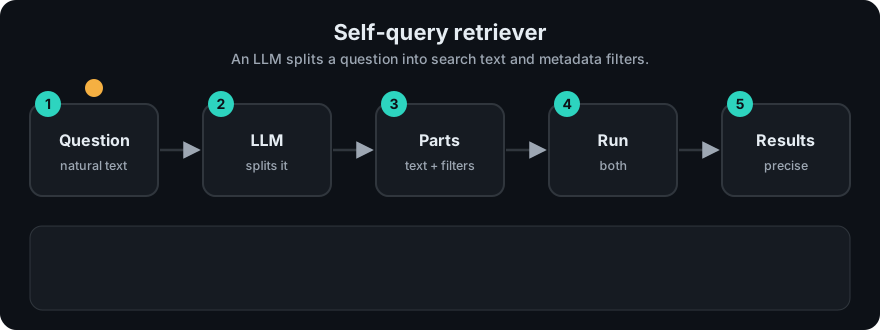
It plays on a loop. Read the caption in the box, one step at a time. Want to go at your own pace? Step through it with Previous and Next.
How it works
- Describe your metadata schema to the LLM: field names, types, allowed values.
- LLM converts the question into JSON:
{"query": "...", "filter": {...}}. - Validate the JSON: known fields only, correct types, allowed operators.
- Apply the filter in the vector store, then run similarity search on the query.
- If the filter returns nothing, fall back to search without it (or tell the user).
flowchart LR
    Q["security policies updated after 2023<br/>for the EU team"] --> L[LLM + schema]
    L --> J["query: security policy<br/>filter: year > 2023 AND region = EU"]
    J --> V{Validate}
    V --> S[(Vector store:<br/>filter then search)]
    S --> R[Chunks]
Worked example
Question: "security policies updated after 2023 for the EU team". The code example below has three documents:
| Document | year | region |
|---|---|---|
| Password rotation every 90 days. | 2022 | EU |
| Security policy: MFA required for all staff. | 2024 | EU |
| Security policy: VPN for remote work. | 2024 | US |
- The LLM turns the question into a query
security policyand filtersyear > 2023,region = EU. Suppose it also inventscolour = red. - Validate:
colouris not in the schema, so it is dropped. - Filter: the 2022 document fails
year > 2023. The US document failsregion = EU. One document is left. - Search that pool for "security policy". The real output of the code is
['Security policy: MFA required for all staff.'].
Code example
A stdlib sketch with the LLM's output hard-coded, showing the important part: validation and filtering.
DOCS = [
    {"text": "Password rotation every 90 days.", "year": 2022, "region": "EU"},
    {"text": "Security policy: MFA required for all staff.", "year": 2024, "region": "EU"},
    {"text": "Security policy: VPN for remote work.", "year": 2024, "region": "US"},
]
SCHEMA = {"year": int, "region": str}
OPS = {"eq": lambda a, b: a == b, "gt": lambda a, b: a > b, "lt": lambda a, b: a < b}

def validate(filters):
    clean = []
    for field, op, value in filters:
        if field in SCHEMA and op in OPS and isinstance(value, SCHEMA[field]):
            clean.append((field, op, value))
    return clean  # silently drops anything the LLM invented

def self_query(llm_output, docs=DOCS):
    filters = validate(llm_output["filter"])
    pool = [d for d in docs if all(OPS[op](d[f], v) for f, op, v in filters)]
    words = set(llm_output["query"].lower().split())
    return sorted(pool, key=lambda d: -len(words & set(d["text"].lower().split())))

# What an LLM might return for "security policies updated after 2023 for the EU team":
parsed = {"query": "security policy", "filter": [("year", "gt", 2023), ("region", "eq", "EU"), ("colour", "eq", "red")]}
print([d["text"] for d in self_query(parsed)])
# ['Security policy: MFA required for all staff.']
In real projects LangChain provides a SelfQueryRetriever that takes an LLM, a vector store, a document description and a list of metadata field descriptions, and translates the result into the store's native filter syntax. LlamaIndex offers a similar "auto-retrieval" with metadata filters. Check the current docs for imports: LangChain, LlamaIndex.
When to use it / when not to
- Use it when questions mention structured constraints: dates, versions, authors, products, prices, regions.
- Use it when you already store clean metadata.
- Avoid it when metadata is missing or messy. Filters will silently exclude good documents.
- Avoid it for security. Access control must be enforced by your code, never by an LLM-written filter.
| Pure vector search | Self-query | |
|---|---|---|
| Understands "after 2023" | No | Yes |
| Extra LLM call | No | Yes |
| Failure mode | Wrong-era documents | Over-strict or invented filters |
Common mistakes
- Trusting the LLM's filter without validation. It can invent fields or use wrong types.
- Letting the LLM control permission filters. Add tenant and access filters in code, after parsing.
- No fallback when the filter returns zero results.
- Vague schema descriptions. Tell the LLM the allowed values ("region: one of EU, US, APAC").
Recap
If you remember only three things:
- A self-query retriever has an LLM split a question into a search phrase plus metadata filters.
- Always validate the filter against your schema, and never let the LLM control access permissions.
- Have a fallback for when the filter matches nothing.
Interview questions
1. What two outputs does a self-query retriever produce? <details><summary>Answer</summary> A semantic query string for similarity search and a structured metadata filter (field, operator, value conditions) applied by the vector store. </details>
2. How do you make it safe? <details><summary>Answer</summary> Validate the parsed filter against a schema (known fields, types, operators, allowed values), never let it touch access control, and add tenant/permission filters in code that the LLM cannot override. </details>
3. The filter returns no documents. What do you do? <details><summary>Answer</summary> Relax it: drop the least important condition or search without filters, and optionally tell the user which constraint could not be met. Log the case to improve the schema prompt. </details>
Go deeper
Prev: Step Back Prompting · Next: Multi Vector Retriever · Back to phase: Phase 2